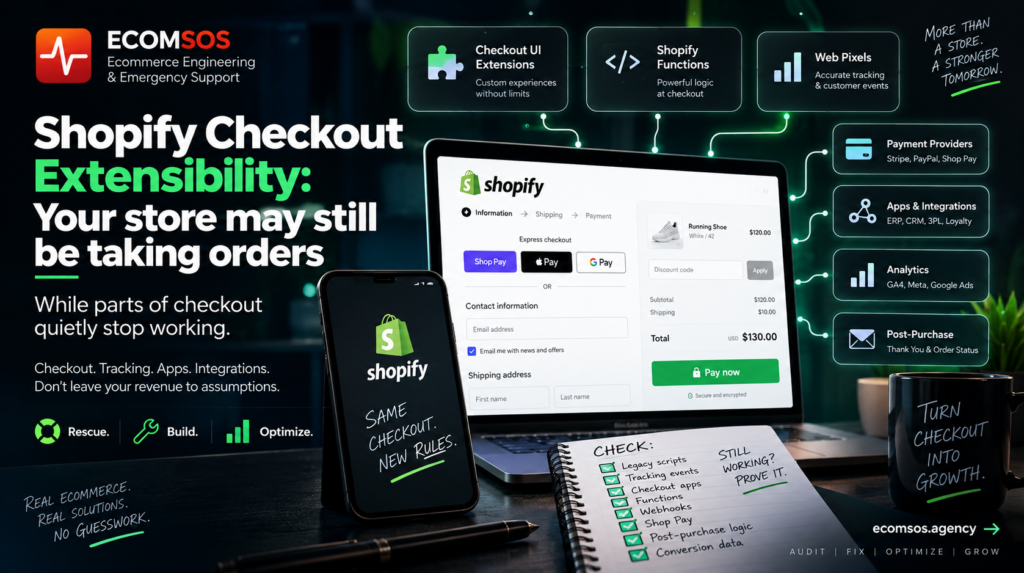
A Shopify store does not need to crash for a checkout migration to go wrong.
That is what makes the current transition important.
Customers may still be able to buy.
Orders may still appear.
Shop Pay may still work.
Revenue may still come in.
But underneath that apparently healthy checkout:
tracking can stop firing,
custom scripts can disappear,
post-purchase logic can stop running,
discount validation can behave differently,
apps can lose access to old checkout surfaces,
and analytics can begin under-reporting conversions.
And the merchant may not notice immediately.
That is why we would treat Shopify Checkout Extensibility as a systems migration, not a design update.
Shopify has moved away from the old checkout.liquid, Additional Scripts and legacy script-based customization model toward Checkout Extensions, Shopify Functions and Web Pixels. Shopify’s documentation states that checkout.liquid is unsupported for the information, shipping and payment steps, while legacy functionality on Thank You and Order Status pages has also been sunset; for non-Plus stores, script tags on those post-checkout pages reached sunset on August 26, 2026.
So if your store has been running for several years, this is worth checking now.
Not because Shopify checkout is broken.
Because your old assumptions about how the checkout works may no longer be true.
Here is what we would audit.
1. First, We Build an Inventory of Everything That Used to Touch Checkout
Before changing anything, we want to know what already exists.
That sounds obvious.
It rarely is.
A mature Shopify store may have accumulated:
custom checkout code
Additional Scripts
Google Analytics snippets
Meta Pixel code
affiliate tracking
custom conversion tracking
upsells
survey scripts
payment customizations
delivery logic
discount logic
fraud tools
subscription apps
custom fields
ERP integrations
CRM events
customer loyalty logic
post-purchase scripts
Some of this may have been installed years ago.
Some may have been added by an agency nobody works with anymore.
Some may belong to apps that are no longer installed.
So our first step in a Shopify checkout audit is not:
“What should we add?”
It is:
“What is the store currently depending on?”
You cannot migrate something properly if nobody knows it exists.
2. We Check for Legacy checkout.liquid Assumptions
For years, Shopify Plus stores could deeply customize checkout through checkout.liquid.
That model is now deprecated and unsupported for the main checkout steps, with Shopify directing merchants toward its extensions-based checkout architecture.
That matters because old customizations may have assumed they could directly manipulate:
HTML
CSS
JavaScript
DOM elements
checkout fields
buttons
tracking scripts
Those assumptions do not automatically translate into Checkout Extensibility.
So when someone says:
“We migrated checkout.”
we ask:
What exactly was migrated?
Was the functionality recreated?
Was it removed?
Was it replaced by an app?
Was it converted to a Checkout UI Extension?
Did anyone validate that the business behaviour remained the same?
A technically successful migration can still remove commercially important functionality.
3. We Audit Thank You and Order Status Pages Separately
This is one of the areas most likely to be overlooked.
Many stores historically placed important code after purchase.
For example:
Meta purchase events
Google Ads conversion tracking
affiliate commissions
survey scripts
CRM events
loyalty actions
custom analytics
third-party marketing tags
For years, the Thank You page became a convenient dumping ground for scripts.
That is no longer a safe architectural assumption.
Shopify has sunset legacy checkout.liquid and Additional Scripts behaviour on these pages, and the platform now expects merchants and developers to use newer extension and pixel mechanisms.
So after any Shopify checkout migration, we ask:
Does every business-critical post-purchase event still happen?
Not:
“Does the Thank You page load?”
Those are completely different tests.
4. We Verify Tracking Using Real Customer Events
Modern Shopify tracking increasingly revolves around Customer Events and Web Pixels.
Shopify’s Web Pixels system allows apps and custom pixels to subscribe to customer events through Shopify’s data layer/event bus, with pixels running in a sandboxed environment.
Shopify exposes standard events such as:
product_viewed
product_added_to_cart
checkout_started
checkout_contact_info_submitted
checkout_shipping_info_submitted
payment_info_submitted
checkout_completed
That is useful.
But installing a pixel does not automatically mean your analytics are correct.
We test:
Did checkout_started fire?
Did payment_info_submitted fire?
Did checkout_completed fire?
Did it fire once?
Did Meta receive it?
Did GA4 receive it?
Did your server-side system also record it?
Did the reported value match the Shopify order?
Did the currency match?
Did discounts affect the reported total correctly?
Did Shop Pay behave the same way?
Because this:
“The pixel is installed.”
is not the same as:
“Our revenue tracking is trustworthy.”
5. We Look for Duplicate Purchase Tracking
Migration projects sometimes create the opposite problem.
Instead of losing tracking, they duplicate it.
Imagine the store previously had:
legacy script
plus:
Google Tag Manager
plus:
Meta app
plus:
custom pixel
plus:
server-side integration
After migration, the old implementation may partly remain while the new one starts firing too.
Now one purchase becomes:
2 GA4 purchases
or:
2 Meta Purchase events
or:
browser event + server event without proper deduplication.
The store owner opens a dashboard and thinks:
Conversion performance improved.
It did not.
Measurement changed.
This is why after a Shopify checkout migration, we compare:
Shopify paid orders
vs.
payment transactions
vs.
GA4 purchases
vs.
Meta purchases
vs.
Google Ads conversions
A large discrepancy is not a marketing insight.
It is a technical investigation.
6. We Check Which Checkout Apps Are Actually Extension-Based
Not every checkout customization should be rebuilt manually.
Shopify specifically recommends using compatible public apps or building custom apps using Shopify’s checkout extension architecture when replacing legacy checkout customizations.
So we review every app touching:
checkout
payments
shipping
discounts
post-purchase
order status
customer accounts
And ask:
How does this app integrate today?
Not how it worked two years ago.
A store can contain an old app configuration that looks active in admin but no longer operates on the checkout surface the way the merchant expects.
7. We Separate UI Customization From Business Logic
This is one of the biggest conceptual changes merchants should understand.
Something appearing inside checkout does not mean its logic should live in the checkout UI.
For example:
“Show this message.”
That may belong in a UI extension.
But:
“Customer must not purchase these two products together.”
That is business logic.
And business logic should ideally be enforced somewhere that does not depend on whether a particular frontend component rendered correctly.
Shopify Functions provide server-side mechanisms for customizing important commerce behaviour, including discounts, delivery options and cart/checkout validation.
This matters because storefronts are becoming more fragmented:
normal checkout
Shop Pay
express wallets
other Shopify surfaces
agent-driven commerce
If a rule genuinely matters to the business, ask:
Is it enforced by the commerce engine—or only by something the customer happens to see?
8. We Audit Custom Validation Very Carefully in 2026
This one is especially current.
Shopify announced in July 2026 that useBuyerJourneyIntercept and its block_progress capability are deprecated for checkout UI extensions.
For business rules that need to block or validate checkout, Shopify recommends migrating toward cart and checkout validation Functions.
That means if your custom checkout extension says:
“Don’t let the customer continue if X is true.”
we want to know how that rule is implemented.
Because there is a major architectural difference between:
UI says “stop”
and:
commerce backend says “this checkout is invalid”
The second is much harder to bypass accidentally.
9. We Check Metafield-Based Checkout Logic
Another 2026 change that can affect custom applications:
Shopify removed the ability for checkout and customer account UI extensions to read/write checkout metafields in API version 2026-04, directing developers toward cart metafields in checkout and order metafields for customer account flows.
If your store has a custom Shopify app that stores information during checkout, this deserves review.
Examples might include:
delivery preferences
custom identifiers
B2B information
gift instructions
internal routing data
custom validation state
If an old extension architecture depends on checkout metafields, simply upgrading an API version without understanding the data flow can cause subtle failures.
The important question is:
Where does the data live before, during and after order creation?
Draw it.
Do not guess.
10. We Test Shopify Functions Like Production Infrastructure
Shopify Functions are powerful precisely because they can affect critical purchase behaviour.
Examples include:
discount logic
delivery options
checkout validation
payment customizations
Shopify’s developer guidance explicitly warns that Functions operate in key purchase flows and should be designed with performance in mind because delays can interfere with purchase completion.
So if your store uses custom Functions, we test more than:
“Does it return the correct discount?”
We test:
large carts
missing metafields
unusual customer segments
multiple discounts
international markets
unexpected input
express checkout
edge cases
Because code that executes during purchasing should be treated like production infrastructure.
Not like a decorative theme feature.
11. We Test Shop Pay and Express Checkout Separately
A standard checkout test does not prove every checkout path works.
A customer may use:
normal checkout
Shop Pay
accelerated checkout
wallet-based payment
Different flows can expose different assumptions in:
validation
tracking
custom UI
discounts
shipping logic
And one of the easiest mistakes in ecommerce testing is:
Developer successfully placed one test order.
Great.
Now place orders through every commercially important route.
The real question is:
Does the same business rule hold across every way a customer can buy?
12. We Treat Webhooks as “At Least Once”, Not “Exactly Once”
Suppose Shopify tells your ERP:
Order #10293 was updated.
Your ERP processes it.
Then the same webhook arrives again.
What happens?
Shopify explicitly warns that duplicate webhook deliveries can occur and recommends idempotent handling; Shopify also provides a webhook ID that integrations can use to detect duplicates.
So:
one webhook arriving twice
should not create:
two invoices
two fulfilment records
two CRM deals
two stock reductions
two warehouse jobs
The same applies when external systems retry requests.
Retries are normal.
Your integration should be designed for them.
13. We Don’t Assume Webhooks Arrive in Order
This catches surprisingly sophisticated integrations.
You might imagine:
products/create
then:
products/update
because that is the chronological order of events.
But Shopify does not guarantee webhook ordering, even within related resource activity. Shopify recommends using timestamps to reason about event order and implementing reconciliation processes rather than assuming webhook delivery alone represents perfect state.
For ecommerce owners, the practical lesson is:
A webhook is a notification.
It should not necessarily be your only source of truth.
A robust integration may periodically reconcile important state against Shopify.
Especially for:
orders
products
inventory
fulfilment
payments
14. Finally, We Test Failure Paths Instead of Only Successful Orders
This is where most of the valuable information appears.
We don’t stop after:
✅ Card payment successful
We test:
❌ payment rejected
❌ customer abandons checkout
❌ webhook delayed
❌ webhook delivered twice
❌ ERP unavailable
❌ tracking endpoint unavailable
❌ custom Function receives unusual input
❌ app extension fails
❌ customer uses Shop Pay instead
❌ discount logic conflicts
❌ inventory changes mid-checkout
❌ customer refreshes a post-purchase page
Then ask:
What did every connected system believe happened?
Shopify?
Payment provider?
GA4?
Meta?
ERP?
Warehouse?
CRM?
If five systems have five different answers, the successful checkout screen is not the end of the investigation.
The Real Risk Is Not “Shopify Is Broken”
Shopify is doing exactly what platforms do:
evolving its architecture.
The risk comes from everything merchants built around the old architecture.
Your Shopify operation may now look something like:
Shopify Checkout
↕
Checkout Extensions
↕
Shopify Functions
↕
Web Pixels
↕
Payment Providers
↕
Apps
↕
ERP
↕
Analytics
Each arrow needs to be understood.
That is why a serious Shopify checkout extensibility audit should answer:
What used to run?
What runs now?
What business behaviour depends on it?
How do we prove it still works?
What happens when it fails?
If nobody has done that comparison since your checkout migration, now is a good time.
Five Questions Shopify Store Owners Should Ask Their Technical Team
You do not need to know Liquid.
You do not need to understand Shopify Functions.
You do not need to build Web Pixels.
But ask:
1. Do we still have any legacy checkout or post-purchase scripts?
And if yes:
what do they do?
2. How do we know Purchase tracking fires exactly once?
Not:
“Meta says the pixel is connected.”
How was it tested?
3. Which business rules are implemented in apps, UI extensions and Shopify Functions?
There should be an inventory.
4. Does checkout behave correctly through Shop Pay and other accelerated paths?
One test purchase is not enough.
5. If Shopify sends the same webhook twice, what happens?
The answer should not be:
We get two invoices.
Want Us to Check Your Shopify Checkout?
If your Shopify store has recently migrated checkout, uses several checkout apps, has unexplained tracking discrepancies, custom integrations or older post-purchase logic, send us:
1. Your Shopify store URL
2. The apps or integrations you know are touching checkout
3. One thing you’re unsure is still working correctly
We’ll tell you the first 3 areas we would audit.
No automated “SEO report”.
No redesign pitch.
No need to buy another app first.
Sometimes the highest-value thing you can do is simply verify that the system already processing your revenue is behaving correctly.
Get a free Shopify technical triage →
EcomSOS — Ecommerce Engineering & Emergency Support
Rescue. Build. Optimize.
Frequently Asked Questions
What is Shopify Checkout Extensibility?
Shopify Checkout Extensibility is the platform’s newer architecture for extending checkout using mechanisms such as Checkout UI Extensions, Shopify Functions and Web Pixels rather than the legacy checkout.liquid and script-heavy customization approach.
Is checkout.liquid still supported?
No for the main information, shipping and payment checkout steps. Shopify has deprecated the old checkout.liquid model and sunset legacy functionality on post-checkout surfaces as part of the move toward extensions.
Can Shopify checkout migration affect tracking?
Yes. Stores that historically used Additional Scripts, script tags or custom post-purchase code need to verify that analytics, advertising and conversion events have been migrated correctly to supported mechanisms such as Web Pixels and Customer Events.
What are Shopify Functions used for?
Shopify Functions allow custom server-side commerce logic for areas including discounts, delivery options and cart/checkout validation.
Why should Shopify webhooks be idempotent?
Webhook deliveries can be retried or duplicated. Idempotent processing ensures receiving the same event more than once does not create duplicate business actions.